
Create a video

Required photos1
Settings
Mode
Video length36s
Resolution

Last Flight Out of GTA 5 AI

Send your traveler through an airport farewell and into a final takeoff.

0:00 / —:—

What happens in Last Flight Out of GTA 5 AI?

In Last Flight Out of GTA 5 AI, the traveler carries a suitcase and game case, looks back at the airport and later sits by the window. Three companions remain part of the prepared story. The ending is appended from the selected reference after the personalized portion.

Prepared reference for Last Flight Out of GTA 5 AI

Create a Last Flight Out of GTA 5 AI

Preview Last Flight Out of GTA 5 AI and review the settings before generating.

  1. STEP 1

    Preview the scene

    Play the reference and choose the version that fits your idea.

  2. STEP 2

    Add a photo

    Upload the required photo for the displayed role and review any optional image.

  3. STEP 3

    Generate and review

    Check the credit estimate, generate from your account, and inspect the finished video and sound.

Preview Last Flight Out of GTA 5 AI

Frames show the prepared reference; results vary.

Prepare the right photo

For Last Flight Out of GTA 5 AI, provide one clear current photo of the traveler. The model uses it to guide the face, hair and visible clothing in the generated portion; the supporting cast does not have individual photo slots.
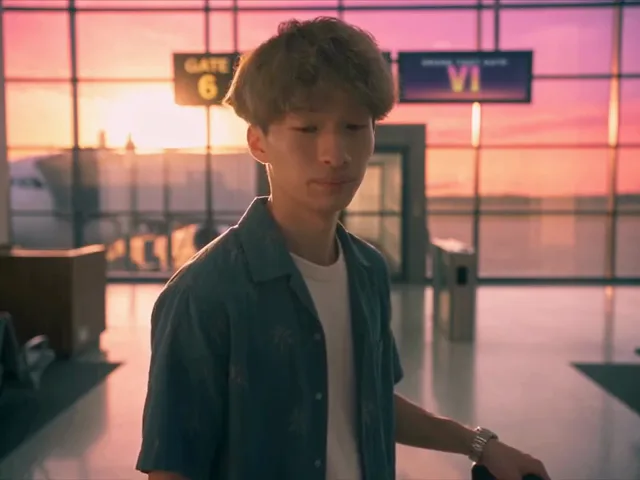
The traveler looks back in the airport terminal

Review the complete result

For Last Flight Out of GTA 5 AI, compare the look-back and airplane close-up across cuts. Then watch the appended takeoff to understand where the personalized footage ends and the original closing footage begins.

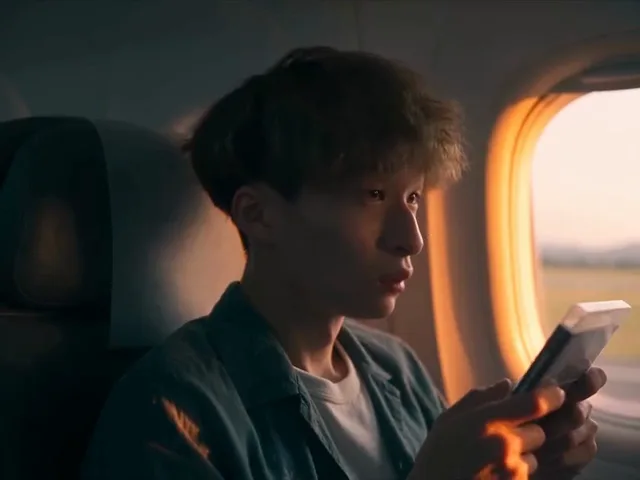
The traveler sits beside the airplane window

Understand the template

In Last Flight Out of GTA 5 AI, economy, Standard and Original use different selections and share the original ending. The full result can be longer than the portion sent to the video model.

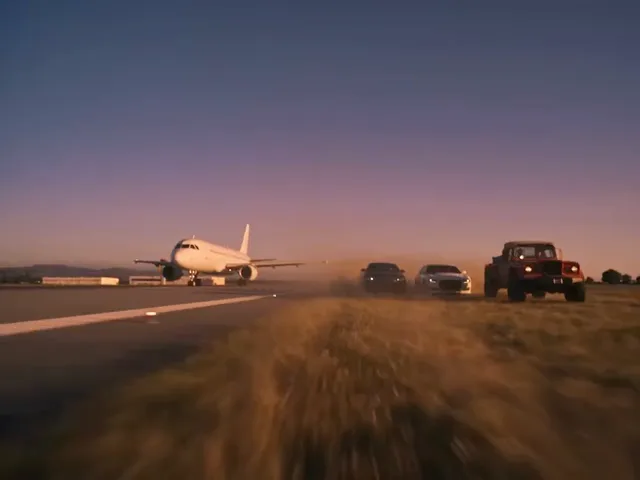
An airplane and cars on the runway at sunset

Last Flight Out of GTA 5 AI FAQ

Answers about this prepared scene.

What makes Last Flight Out of GTA 5 AI distinctive?

Last Flight Out of GTA 5 AI follows a traveler carrying a suitcase and game case through an airport goodbye, then moves to an airplane window and takeoff. The personalized portion and the closing reference footage have different roles. Preview Last Flight Out of GTA 5 AI through the end before choosing it: the final departure is preserved as an appended ending rather than regenerated around the uploaded person.

What should the traveler photo show?

Use one current portrait with a recognizable face, hair and clothing for Last Flight Out of GTA 5 AI. A clear front-facing or slightly angled view gives the model useful appearance cues for the look-back and airplane close-up. Avoid heavy obstruction and distant group images. The Last Flight Out of GTA 5 AI upload identifies the traveler; the companions do not have separate photo slots on this page.

What do the Last Flight Out of GTA 5 AI modes include?

Economy, Standard and Original use different prepared selections for Last Flight Out of GTA 5 AI. Their finished reference lengths are approximately 20, 28 and 36 seconds respectively; the model-generated portion is shorter because the closing segment is appended. Switch modes in the form to see the corresponding preview and estimate. Choose the Last Flight Out of GTA 5 AI version whose sequence and length fit the intended use.

Why does the displayed result outlast the model input?

Last Flight Out of GTA 5 AI combines a personalized segment with an original reference ending. The aircraft departure after the personalized segment adds time to the finished clip. A 25-second model segment can therefore lead to a roughly 36-second reference result in Original mode. Watch the transition in Last Flight Out of GTA 5 AI and remember that the preserved ending does not apply the uploaded face throughout.

Can I replace the companions or edit the suitcase?

The Last Flight Out of GTA 5 AI workspace provides one traveler photo role. Companions, luggage, the game case and airport scenery are part of the prepared sequence, with no separate replacement fields. AI generation can also alter small details. For a different cast or setting, choose another prepared scene or use supported custom video inputs. Last Flight Out of GTA 5 AI is best suited to the farewell shown in its preview.

Where should I look for inconsistencies?

Review Last Flight Out of GTA 5 AI at the airport look-back, during the seated close-up and at the transition into the ending. Look for changes in the traveler’s face, clothes or hands and for movement of the case between cuts. The closing footage is intentionally original, so an appearance change at that boundary has a different cause from variation within the generated segment. Watch the entire Last Flight Out of GTA 5 AI result with sound.

Can the last takeoff be personalized?

The final takeoff in Last Flight Out of GTA 5 AI is appended from the original prepared reference. The traveler’s earlier footage is the personalized part. This arrangement preserves the ending’s sequence but means the final section is not a continuous identity replacement. If personalization throughout every shot is your priority, compare another template or bring a suitable reference to the general video workspace; Last Flight Out of GTA 5 AI has a fixed closing segment.

How do I compare Last Flight Out of GTA 5 AI attempts and costs?

Before submitting Last Flight Out of GTA 5 AI, check the selected mode, photo and credit estimate in the form. If you retry, change one input at a time so you can compare the same airport and airplane moments. A new generation may require additional credits. Results and audio can vary; after each attempt, review the complete clip and verify that you have permission to use the portrait and soundtrack. GTA6 AI Video is an independent fan-inspired service unaffiliated with Rockstar Games.

Where is my result?

Sign in to the account used for generation and open My creations. The reference player does not show your personal result.

Create Last Flight Out of GTA 5 AI

Send your traveler through an airport farewell and into a final takeoff.

last flight out of gta 5 ai