Create a video

Required photos1
Settings
Mode
Video length17s
Resolution

GTA 6 Convertible Chase AI

Use one photo to lead a GTA 6 Convertible Chase AI pursuit through the rain.

0:00 / —:—

GTA 6 Convertible Chase AI video ideas

Explore examples of this effect. Open a video for a closer look.

What is GTA 6 Convertible Chase AI?

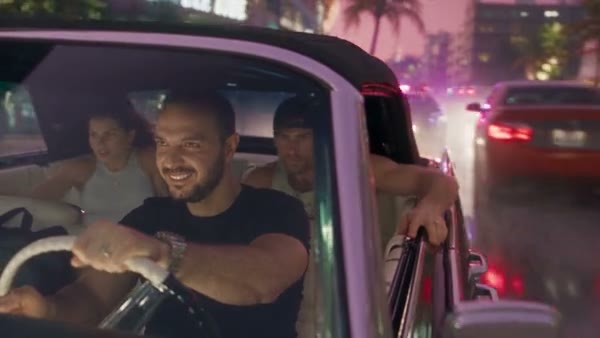
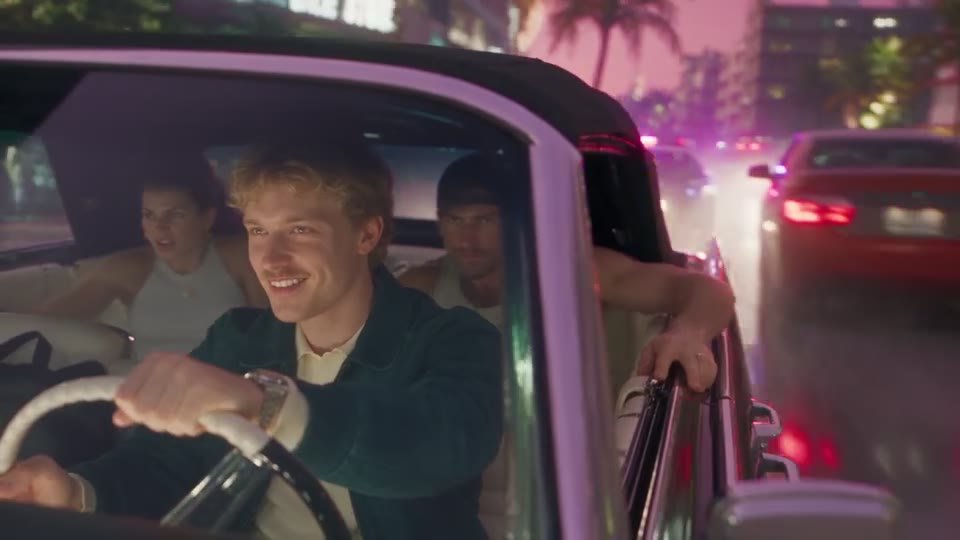
In GTA 6 Convertible Chase AI, a convertible carrying a driver and two passengers moves through a rainy pursuit in the prepared landscape video. Police vehicles and a helicopter follow the action. Your image guides the driver while the passengers, cars, weather and cuts follow the existing scene. GTA 6 Convertible Chase AI is an independent fan-inspired video experience; it does not provide interactive gameplay or a road map.

Prepared reference for GTA 6 Convertible Chase AI

How to create a GTA 6 Convertible Chase AI clip

Preview GTA 6 Convertible Chase AI and review the settings before generating.

  1. STEP 1

    Watch the chase

    Review the landscape reference and its passengers and pursuing vehicles.

  2. STEP 2

    Select the driver

    Add one photo to guide the character at the wheel.

  3. STEP 3

    Create the clip

    Check the mode and quote, generate and inspect the output.

Preview GTA 6 Convertible Chase AI

Community-made examples and reference frames; results vary.

Choose who takes the wheel

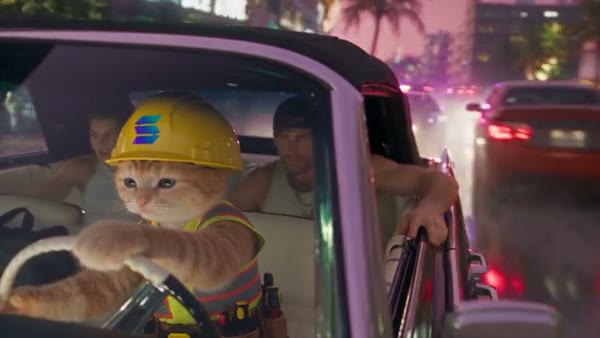
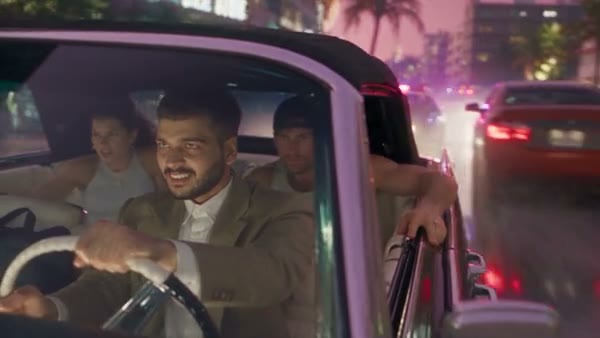
For GTA 6 Convertible Chase AI, choose one photo for the driver. A clear face, recognizable hair and visible upper-body clothing provide useful cues as the view moves around the vehicle. The role can also be tried with a pet photograph. Since the underlying performance uses a person driving, a different body shape can produce unexpected posture or motion. The passengers do not have separately assignable portraits.
Choose who takes the wheel

Review the rainy pursuit

For GTA 6 Convertible Chase AI, review the pursuit through every camera change. Compare the driver’s face and outfit, look at the hands at the wheel and check the passengers in the wider shot. Rain and reflections can obscure details, and fast movement can introduce inconsistencies around car edges. Comparing the full result with the preview is more useful than judging just the first frame.

Review the rainy pursuit

Decide which chase interval to use

In GTA 6 Convertible Chase AI, the complete reference is approximately 16.7 seconds. Original follows that full chase, while Economy and Standard use an approximately 14.9-second selection. Each mode has its own generation settings and the workspace shows the current estimate. The car, weather and chase route are not separately editable. The workflow attempts to restore the source sound after generation; check the finished soundtrack and your rights before reusing it.

Decide which chase interval to use

GTA 6 Convertible Chase AI FAQ

Answers about this prepared scene.

Who can I put in the driver seat?

One photo guides the convertible driver. You may use a person or try a pet; other body shapes can be harder to reconcile with the human driving reference.

Are the two passengers replaceable?

They are guided by the prepared scene and do not have separate image inputs. Their appearance may still vary in a generated clip.

What is the difference between the modes?

Original follows the roughly 16.7-second complete source. Economy and Standard use a prepared approximately 14.9-second interval and have different generation settings.

Can I choose another vehicle?

The convertible, police cars and helicopter follow the source. There is no separate vehicle selector for GTA 6 Convertible Chase AI.

Can I direct the chase?

The road, rainy weather and camera cuts are established by the reference. The page creates a video rather than an interactive pursuit.

Which image works best?

Use a clear photo with one recognizable subject. Visible facial features and upper-body detail can help the model through changes in viewpoint, although consistency is not guaranteed.

What should I check before downloading?

Inspect the driver across cuts, especially the face and hands. Check the passengers, vehicle edges and reflections during fast motion, then listen to the audio.

Is this an official GTA release?

GTA 6 Convertible Chase AI is an independent, fan-inspired AI video scene. It is not a playable or publisher-endorsed game.

What photo works for GTA 6 Convertible Chase AI?

Use a clear image of one recognizable subject for GTA 6 Convertible Chase AI. A visible face, hair and upper-body details give the model useful cues as the view moves around the driver. A crowded group photo does not assign the passengers.

How should I compare GTA 6 Convertible Chase AI results?

Watch each GTA 6 Convertible Chase AI result through the complete chase. Compare the driver during turns and camera cuts, then check the passengers and steering wheel. A clearer image or another generation can change the interpretation without guaranteeing a perfect match.

Does GTA 6 Convertible Chase AI include sound?

The GTA 6 Convertible Chase AI reference has audio, and the workflow attempts to restore it after the visual generation. Listen to the delivered file to assess its actual presence and timing; confirm permissions before sharing any soundtrack.

Can I use GTA 6 Convertible Chase AI in a montage?

You can arrange an authorized GTA 6 Convertible Chase AI result with other material in a separate editor. The source uses landscape framing, and the chosen mode determines the available beginning and ending. Review the exported clip and rights before publication.

Where is my result?

Sign in to the account used for generation and open My creations. The reference player does not show your personal result.

Create GTA 6 Convertible Chase AI

Choose a driver portrait and compare the chase previews.

GTA 6 Convertible Chase AI